KDS or kitchen printer: which setup should you choose?
Sending orders to preparation can be done in two ways: a ticket printed on paper or a preparation screen, also called a KDS. Both work, but not in the same kitchens or with the same teams. This guide honestly compares their strengths and limits, then lists what should really guide your choice.
In this guide
Between the moment an order is entered and the moment the plate goes out, there is a link that is often overlooked: the way information reaches the kitchen. This link determines how calmly the rush is handled, the ability to know where a table stands, and the number of trips back and forth between the dining room and the kitchen.
Two approaches coexist. The paper ticket, printed by a production printer installed in the kitchen. And the preparation screen, the KDS, which displays orders on a monitor above the pass or the workstation. They are often set against each other as old versus modern. That is the wrong way to frame the problem: these are two different organizations, and each is better than the other in certain contexts.
This guide does not seek to name a winner. It explains what each approach actually does, what it requires in return, and which elements of your establishment should weigh on the decision.
What's at stake between the dining room and the kitchen
The preparation ticket, whatever its format, serves three distinct needs.
The first is the transmission the kitchen must receive the complete and unambiguous order, including customizations, reported allergies, cooking preferences and side dishes.
The second is the sequencing in what order to handle orders, how to manage sending by course, how to know that a table has been waiting a long time. This is where the two approaches diverge the most.
The third is the coordination knowing, without moving, that a dish is ready, that an order has gone out, that a station is running late. In a small kitchen, calling out is enough. In a kitchen with several stations or on several levels, it no longer is.
Before comparing devices, ask yourself which of these three needs is actually a problem for you today.
The paper ticket: what it does well, what it doesn't
The kitchen printer prints a ticket as soon as the order is confirmed. The slip is picked up, set down, clipped to a rail, or slid under a dish. It physically lives in the kitchen.
Its first strength is simplicityNo one needs to be trained to use paper. A temp worker arriving on a Saturday night understands immediately how it works. In a trade where staff turnover is frequent, that is no small detail.
The second is independence of the actionThe ticket can be picked up, moved around, turned over, and arranged in whatever order the chef decides. It can be annotated, a line crossed out, physically placed next to a plate. This physicality is an organizational tool, not nostalgia.
The third is the unconditional legibility a piece of paper stays legible whatever the cook's position, with no glare, no blank screen, no sleep mode.
Its limitations are just as concrete. Paper is a consumable that needs restocking, often at the worst possible moment. A slip can fall, get stained, slide behind a work surface, get printed twice. Above all, paper says nothing about the status of an order: it doesn't know that a dish is in progress, that a table is waiting, that a station is overloaded. That information stays in the team's heads and disappears when the person carrying it steps away.
The preparation screen: what it delivers, what it requires
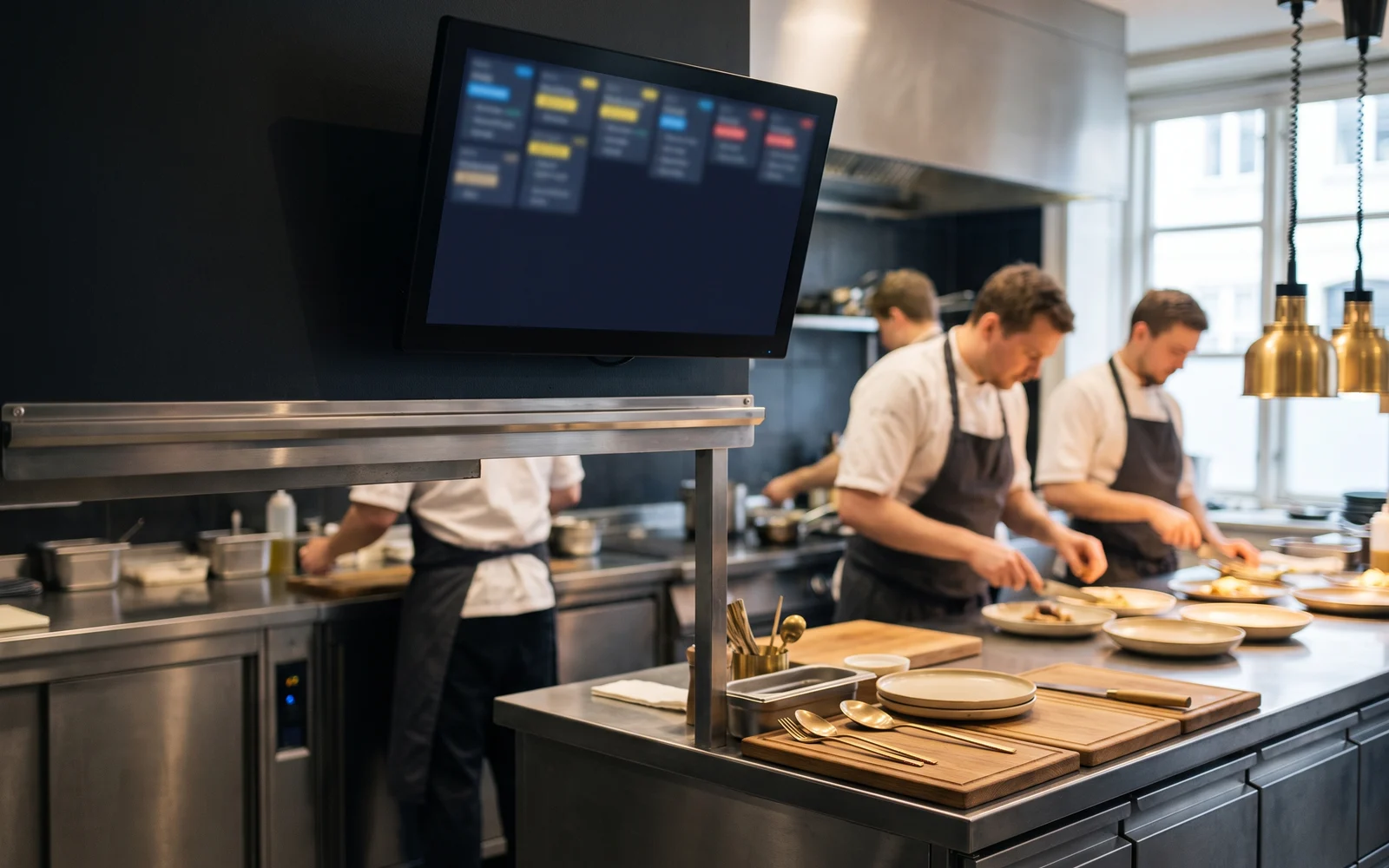
The KDS displays orders on a screen placed in the kitchen. Each order appears as a block, which the team moves along: order seen, in progress, ready, sent.
Its main contribution isn't eliminating paper, it's making the status of orders visibleYou can see what is in progress, what is waiting, what has just come in. The information stops being carried by a person and becomes shared by the station.
It also makes it possible to distribute by station starters to one screen, cooked dishes to another, cold items or desserts elsewhere, without multiplying printouts. It eliminates the consumable and keeps a record of what was sent, which helps make sense afterward of a service that went wrong.
In return, it requires certain conditions. A screen must be powered, mounted, protected, and remain legible in a hot, humid and greasy environment. It assumes the team accepts an extra action, confirming progress, without which the screen displays a status that no longer matches reality. And it depends on equipment that works: a screen that's off stops the information flow.
A preparation screen does not eliminate errors. It makes the status of orders more visible and reduces certain losses of information. An order entered incorrectly in the dining room will arrive wrong in the kitchen, whether on screen or on paper.
Comparing, then choosing on the right criteria
The table below summarizes the structural differences. There is no right column: there is the one that matches your kitchen.
| Criterion | Paper ticket | Preparation screen |
|---|---|---|
| Ease of handling | Immediate, no training required | Requires a habit and a confirmation action |
| Tracking the status of an order | Carried by the staff, untracked | Visible on screen and logged |
| Breakdown by station | Requires several printouts | Provided for by the screen setup |
| Consumable | Paper to manage and restock | No consumables |
| Kitchen environment | Not very sensitive | Requires a suitable location |
| Point of vulnerability | Ticket lost, stained, or printed twice | Screen not updated or out of service |
Six factors then weigh more heavily than the others. Examine them by describing your establishment as it actually is, not as you would like it to be.
Volume and the intensity of service periods
A steady, spread-out service can be managed perfectly well on paper. A concentrated service, where orders arrive in waves, puts the team's memory to the test.
The number of preparation stations
A kitchen run by one or two people who talk to each other does not need a coordination system. As soon as several stations are working on the same order, the question arises differently.
Available space
A screen needs a location visible from the workstation, without getting in the way of movements or circulation. In a cramped kitchen, placement can be the sticking point.
Heat, humidity and cleanliness
Steam, splashes, greasy hands, frequent cleaning. The exact spot where the screen would go needs to be examined concretely, as does the way it is interacted with during service.
The team's habits
A kitchen brigade that has built its organisation around paper tickets will not change its method by decree. Moving to a screen is as much an organisational project as an equipment project.
Staff turnover
A high number of temp and seasonal staff argues in favor of a device that is immediately understandable. A stable team absorbs a tool that requires an initial learning curve more easily.
Three concrete set-ups
The right choice depends mostly on how an order is split between the people who prepare it. Here are three common cases, from the simplest to the busiest, each showing when a printer is enough and when a screen becomes useful.
| Case | How the order flows | A printer is enough when… | A screen becomes useful when… |
|---|---|---|---|
| Small snack bar, a single station: one or two people prepare everything | The full order arrives in one place; the person preparing calls it out or puts it on the counter | Orders come in at a steady pace and the team talks to each other easily | Orders come in waves and tickets get lost or pile up during the rush |
| Fast-food outlet, several stations: hot, cold, desserts | Each station only receives its own lines; the order is complete when all have validated | There are two stations at most and one printer per station stays readable for the team | Several stations work on the same order and you need to know which one is still missing a part |
| Kitchen with pick-up or delivery | The stations receive their lines; the counter follows the whole order and packs the bag at pick-up or when the courier arrives | Takeaway volume stays low and a printed hand-over ticket is enough to check the bag | Dine-in, takeaway and delivery orders mix: the screen shows where each order comes from and its status, and a printed ticket is still useful for the bag |
Take a takeaway order: one burger, one salad and two drinks. The burger goes to the hot station, the salad to the cold station, and the drinks stay at the counter. Each station only sees what it has to prepare and flags it when it's ready. The counter sees all three parts of the order, knows which one is still missing, and only packs the bag once everything has arrived. This is the typical organisation of a fast-food outlet or snack bar, where takeaway makes up most of the volume.
Combining both, and the mistakes to avoid
The choice isn't always exclusive. Many establishments have both formats coexist: a screen at the hot station to track progress, a printout for handing over a takeaway order. This combination is legitimate, provided it is a deliberate decision, not something endured because no one dared remove the printer.
Three mistakes come up often. Choosing the screen for its image rather than for an identified problem: without a real need for coordination, it becomes a display that no one updates. Underestimating the setup: what appears on the screen, in what order and with what wording, determines how useful the tool is. Forgetting the fallback mode: decide in advance how the kitchen keeps working if the screen or the printer stops during a service.
Finally, don't treat this topic in isolation. What arrives in the kitchen depends first on how the order is taken in the dining room. The subject of the kitchen and the KDS is thought through together with that of order-taking.
Preparing your decision
Before comparing equipment, write three sentences: how many stations work on the same order, what specific problem you want to solve, and where a screen could physically be placed. These answers already rule out a good number of options. Next comes the equipment itself, its mounting, and its integration with the till software, which are checked case by case depending on the solution chosen.
OG Solutions analyses how the service actually runs, then selects and configures the suitable solution from among the technologies it integrates. The principle stays the same: the restaurateur understands their organisation, the integrator chooses the technology that supports it.
Key takeaway
- The paper ticket and the preparation screen serve different needs: the former is passed around and handled, the latter makes the status of orders visible.
- Paper remains unbeatable for simplicity, immediate ease of use, and note-taking; however, it keeps no record of progress.
- The KDS eliminates consumables, makes it possible to split work by station and track an order, but requires a suitable location and constant validation actions.
- The choice hinges on volume, the number of stations, space, the kitchen environment, the team's habits, and staff turnover.
- Combining screen and printing is a valid option, provided it is a deliberate, properly configured decision, not a legacy.