How do you build a till solution suited to your business?
A till solution is not a product you buy, it is a set of building blocks you assemble: software, equipment, payment, peripherals, network, organisation and support. This guide offers a method for thinking things through in the right order, starting from how the business actually operates rather than from the equipment. It does not recommend any product: it helps you formulate a clear need before making any comparison.
In this guide
Most till projects start with the same question: 'which equipment should I get?' It's a legitimate question, but it comes too early. Equipment is the consequence of a way of operating, not its starting point. A bakery counter with a queue in the morning, a restaurant with table service, a clothing store with fitting rooms and a stockroom: these three businesses can use the same categories of equipment and yet need very different configurations.
Building a till solution therefore means, first of all, describing an organization. Who checks out customers? Where? At what time of day? What happens between the moment the customer chooses and the moment they pay? What becomes of the information once the sale is finished? These answers then determine the software, the stations, the peripherals and the network.
This guide describes the main building blocks of a checkout project and how to size them. The goal is not to provide a shopping list, but a reusable way of thinking, whatever the type of business.
Starting with the organization, not the equipment
Before opening a catalog, it is useful to put the actual journey of a sale down on paper, from start to finish. This description must be concrete and reflect what really happens, including habits that are written down nowhere.
Several elements are worth noting. First, the touchpoints counter, dining room, terrace, stockroom, order pickup, market or delivery. Then the moments of pressure the lunchtime rush, the end of the office day, Saturday afternoon. Then the people the manager alone, a stable team, seasonal staff renewed regularly. Finally the ancillary operations returning an item, a credit note, an order to prepare, a discount, a bill split between several customers.
This snapshot of the current setup serves as a reference throughout the project. It allows you to distinguish what should be kept from what you want to correct. It is also this document that makes a comparison between solutions truly useful: without it, you are comparing features out of context.
A till project often brings to light differences in practice between the people handling checkout. Identifying them at the outset avoids having to arbitrate under pressure when the system goes live.
The building blocks of a checkout project
A complete solution is made up of several sets of components, each answering a different question.
The till software
It is the structural building block. It carries the product catalog, the way a sale is put together, the management of payments, discounts, returns, and the reporting of figures. It is also this element that sets the logic teams follow day to day. Software designed for counter sales and software designed for table service do not tell the same story, even though both can process a checkout.
The checkout station
A fixed touchscreen till, a mobile tablet, or a combination of the two. The choice depends on where the order is entered and the conditions of use: space available on the counter, moving around the dining room, exposure to humidity or flour, handling with gloves.
Payment
The payment terminal can be placed at the counter or carried to the customer. The point to examine is the link between checkout and payment: is the amount entered a second time on the terminal, or transmitted from the till? This question depends on the configuration chosen and must be checked on a case-by-case basis.
Peripherals
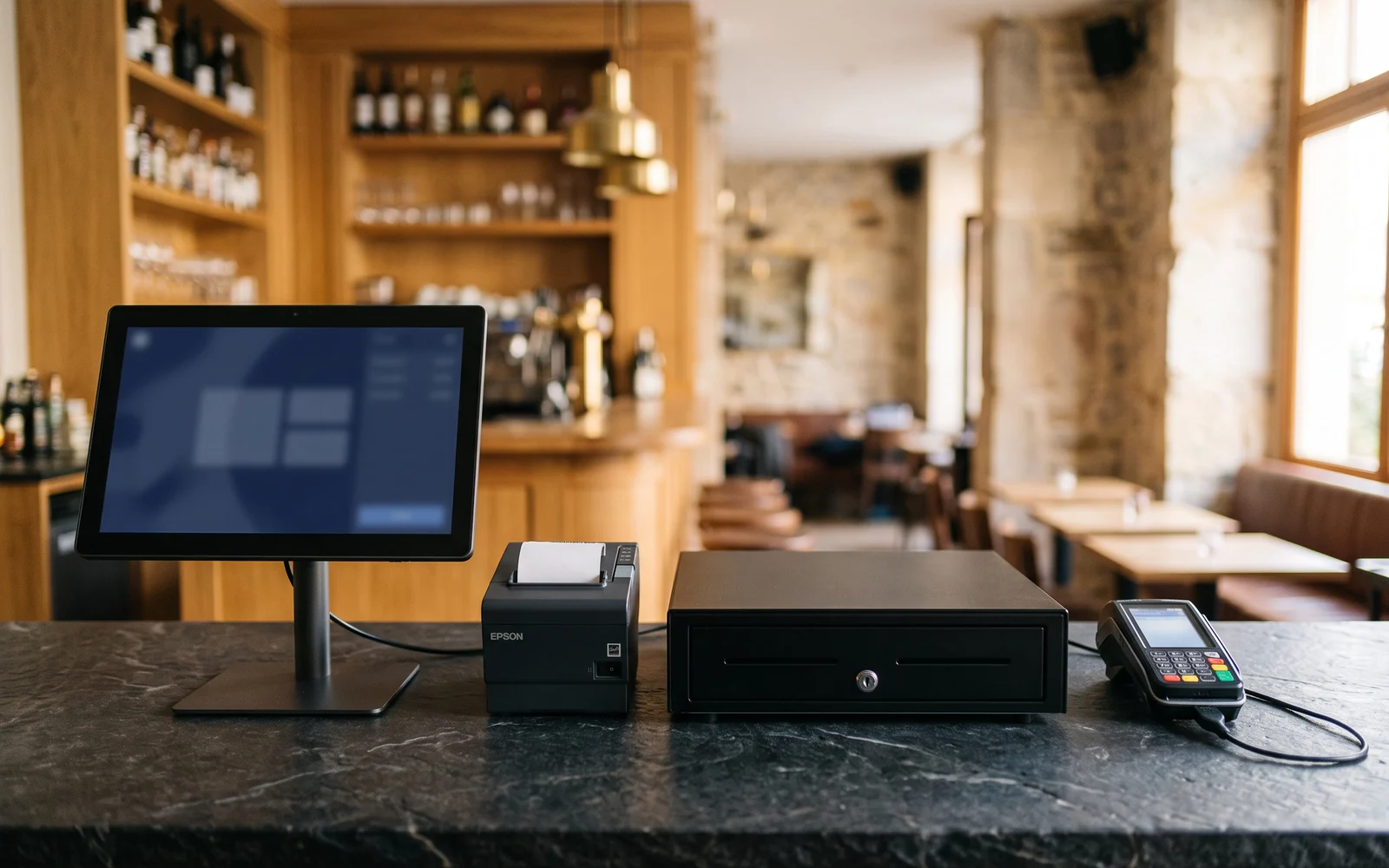
Receipt printer, cash drawer, barcode readerscale, customer display, kitchen preparation screen. Each peripheral answers a specific action. A peripheral that doesn't match any real action becomes clutter.
The network and power supply
Often dealt with last, this is nevertheless a decisive building block. Number of outlets, position of network points, wireless coverage in the dining room or storeroom, how the till behaves in the event of an outage: these points determine day-to-day stability.
Organization and support
Catalogue configuration, user-level rights, end-of-day procedures, staff training, a point of contact in case of a problem during service. This component is intangible, but it is what makes the difference between a till that is installed and a till that is truly adopted.
Sizing according to activity
Sizing consists of adjusting each building block to the intensity and nature of the business. A few typical situations help illustrate the reasoning.
Fast counter sales
Priority goes to speed of entry and smooth queue flow. A well-organized item layout, a stable till, and a short sequence between entry and payment matter more than the number of available features.
Table service
Order taking happens away from the till. The question becomes one of mobility, transmission to preparation, and managing open tabs, shared or transferred from one table to another.
Store with a large catalog
The number of SKUs and their variants dominates the topic. Item identification, category organization, and quantity tracking become central, often before the question of the station itself.
Multiple points of sale
The need shifts toward consistency: a shared catalog, uniform practices, and a consolidated view of the figures. The subject becomes as much organizational as technical.
The criteria that really shape the choice
Once the need has been described, the comparison can begin. A few criteria come up systematically and deserve to be stated explicitly.
The day-to-day ease of use comes before feature richness: a rarely used feature counts for little next to an action repeated hundreds of times a day. The capacity to evolve also matters: a business considering takeaway sales, a second point of sale, or a loyalty program has no interest in closing these doors from the outset.
Next come the overall consistency — a proven combination is better than an assembly of separately chosen elements —, the robustness relative to the environmentand the availability of support during the hours when the business is open. The question of budget is addressed at the end of the process, once the need has been stabilized, and is the subject of a personalized study. The choice between purchase and leasing also arises at that point.
Common mistakes
- Choosing the equipment first. The station and its peripherals follow from the software and the organization, not the other way around.
- Confusing need with feature. A long list of features says nothing about their relevance in an actual service.
- Neglecting the network and electrical supply. These points are often discovered on the day of installation, when it's late to fix them.
- Forgetting the staff. They are the ones who use the till. Not involving them in the decisions creates lasting workarounds.
- Underestimating catalog preparation. Items, categories, and applicable tax rates take time and careful review.
Applicable obligations may change. Check the rules that apply to your situation with the relevant authorities.
Next step
A till project benefits from being set out as a description: the flow of a sale, the points of sale involved, the people handling checkout, the constraints of the premises, and the changes being considered. This document, even a short one, is enough to frame any discussion.
OG Solutions starts from this needs analysis, then selects and configures the suitable solution from among the technologies it integrates, from software to peripherals.
Key takeaway
- A till project is built from the actual organisation of the business, not from the equipment.
- A complete solution combines seven building blocks: software, checkout station, payment, peripherals, network, organisation, and support.
- Sizing depends on the type of business: quick sale, table service, a large catalog, or multiple points of sale do not lead to the same choices.
- Day-to-day ease of use and room to grow often weigh more heavily than the number of features.
- The network, electricity, and catalog preparation are the points most often underestimated.